Blue Team Labs Online - UNDRGRND-N3RD
Unfortunately, this time he downloaded a malicious file. Our protagonist noticed this after realizing that an unfamiliar file had been uploaded to his system.
Digital Forensics
Tags: Autopsy Pestudio CyberChef T1204.002
Scenario Matt Jarovic is a nerd who works at FunGames, a company that sells video games and gaming products. He spends his time playing video games and browsing online forums looking for new content to entertain himself.
His passion and his skills at work have enabled him to grow professionally; after submitting his application to FunTech Inc., he received the news of being just hired.
Despite the joy of this achievement, nothing has changed in his routine. Like every day after work, he comes back home and starts looking for new content to download.
Unfortunately, this time he downloaded a malicious file. Our protagonist noticed this after realizing that an unfamiliar file had been uploaded to his system.
Worried about being a victim of cybercrime, he took advantage of his fresh position at FunTech to give his computer to an analyst for a careful investigation.
Environment Awareness
Evidence Discovery
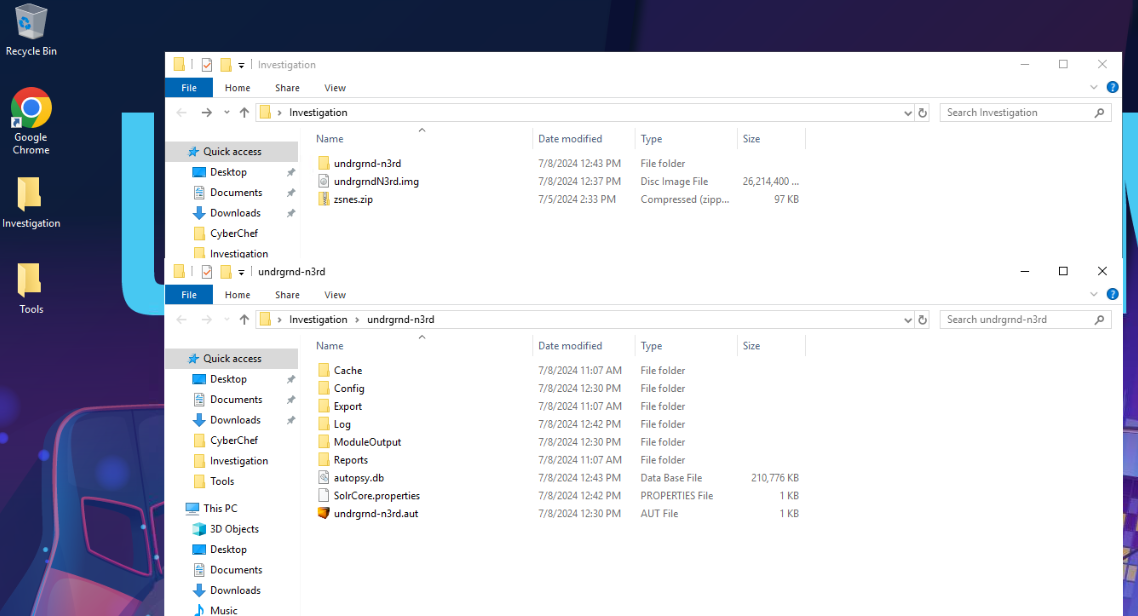
On the desktop of the investigation machine, there is an Investigation folder that contains all evidences required for this investigation that included
- Disk image
- Autopsy case
- A zip file that contains malicious file inside
Tool Discovery and Preparation
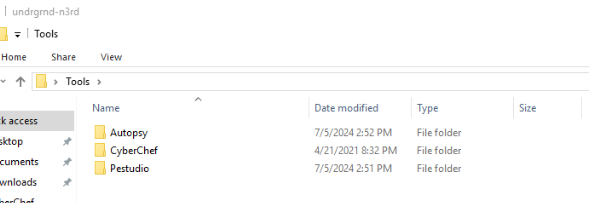
On the desktop of the investigation machine, there is also a Tools folder that contains tools that can be used for our investigation that are
- Autopsy
- Cyberchef
- Pestudio
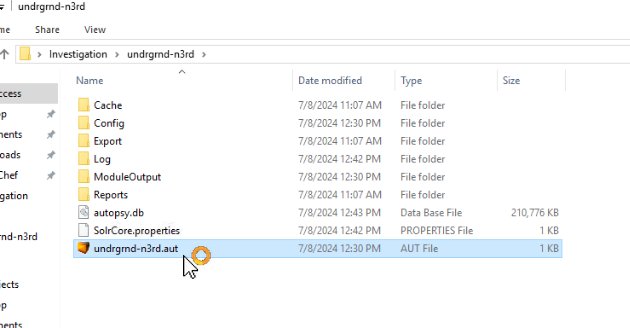
To start an investigation, click .aut file (autopsy case) which will load a case in Autopsy.
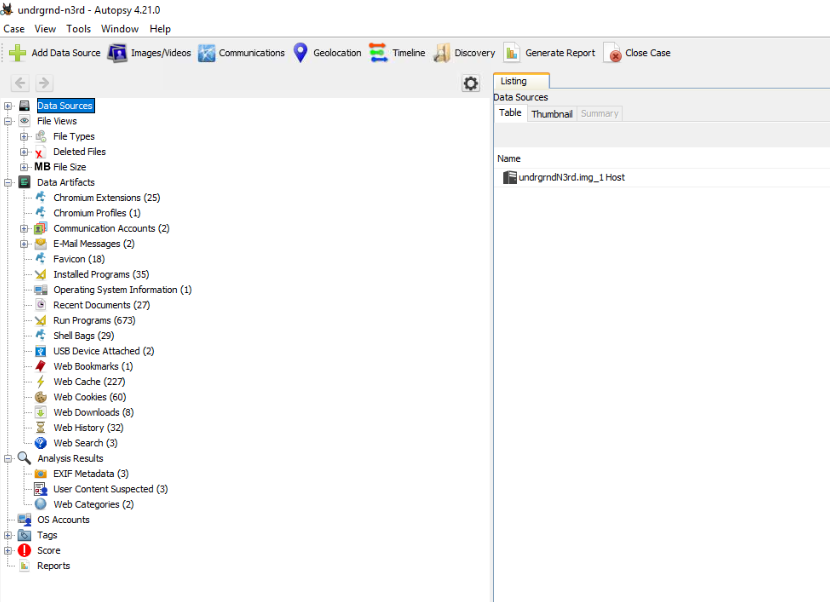
Now we are ready for this investigation
Investigation
Q1) What is the PC Name? (Format: string)
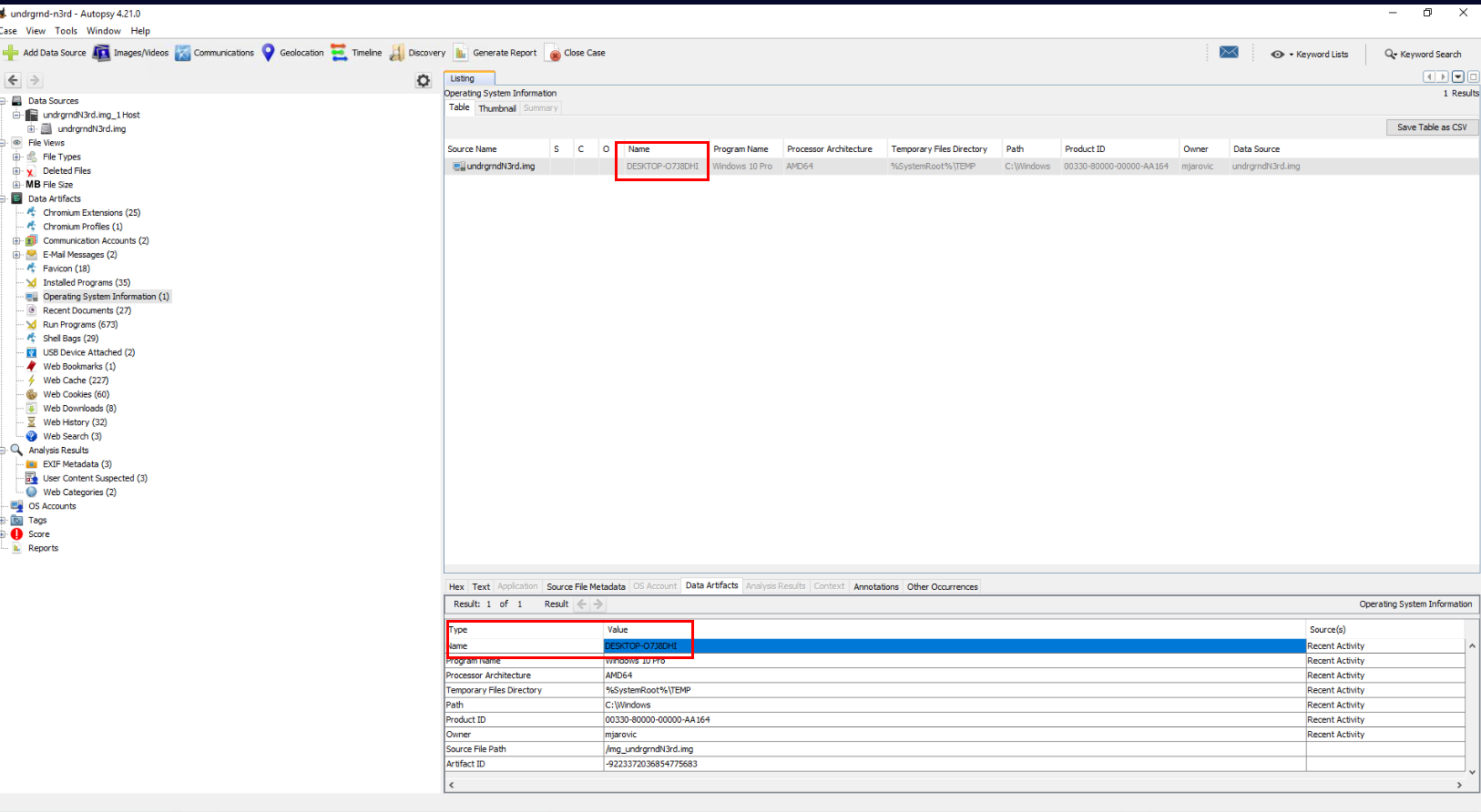
To find out the PC Name, Autopsy already parsed this information for us under "Data Artifacts" -> "Operating System Information" right here.
Answer
DESKTOP-O7J8DHIQ2) What is the Username and SID of the victim? (Format: string, string)
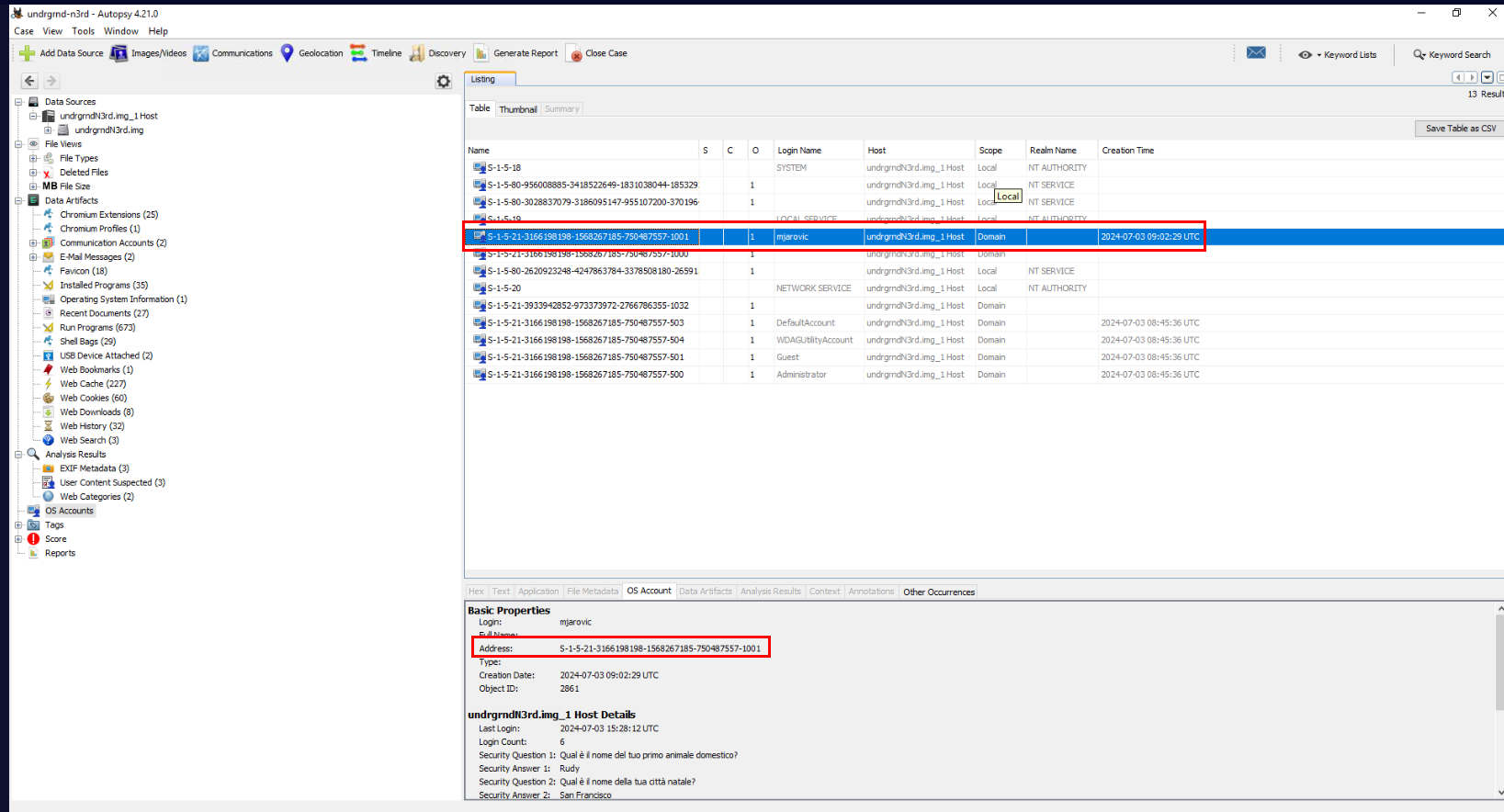
SID of a normal user usually end with "-1001" so if we take a look at "OS Accounts", we can see that there is only one normal user on this system which is "mjarovic"
Answer
mjarovic, S-1-5-21-3166198198-1568267185-750487557-1001Q3) What is the website from which the malicious file was downloaded? (Format: http://something/something/something/something/file.ext)
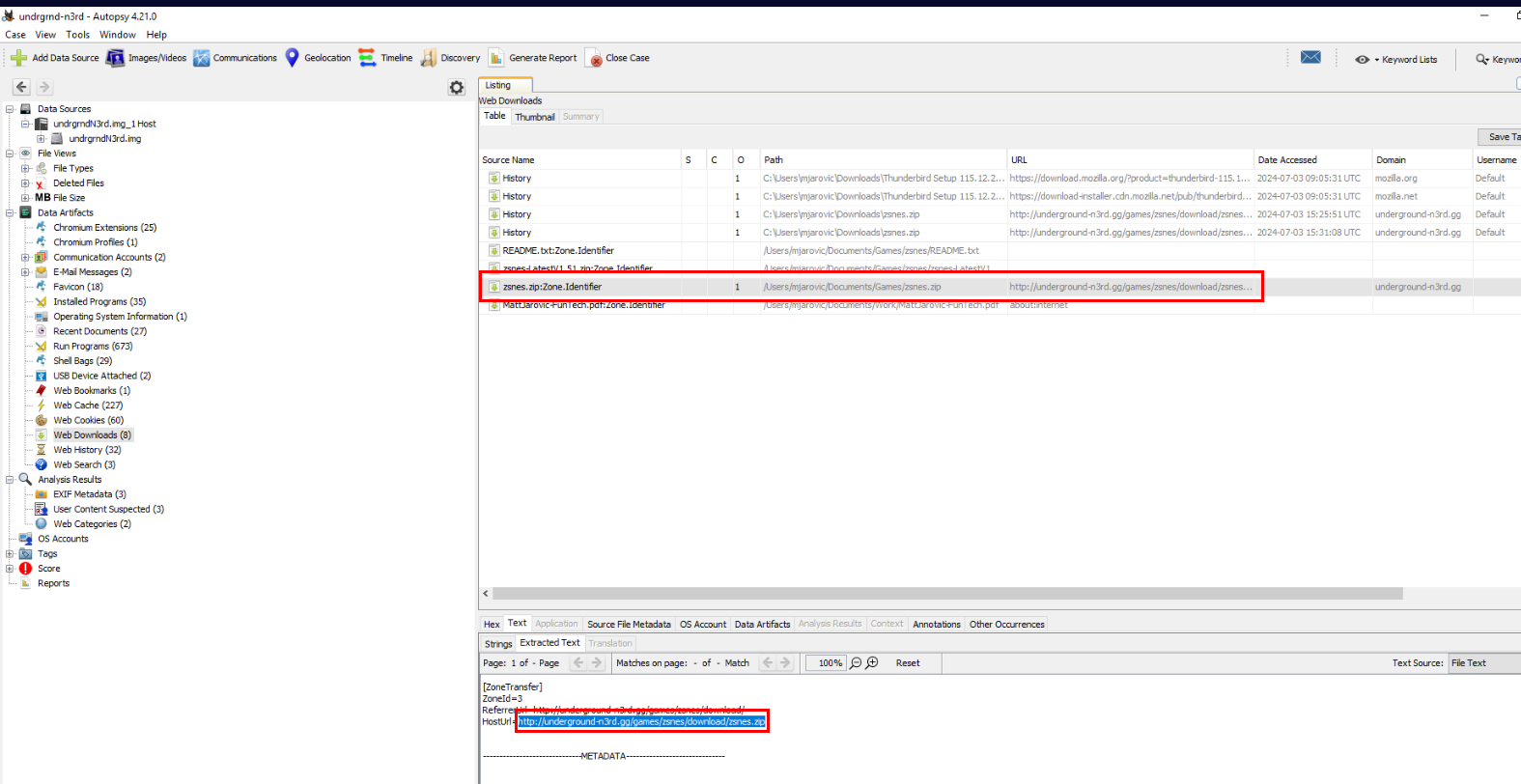
We can go to "Data Artifacts" -> "Web Downloads" to find out all file download history that Autopsy parsed including its Zone.Identifier which stores that Url that hosted downloaded file
which we can see the identical filename we found inside Investigation folder so we can copy the content of URL field to answer this question.
Answer
http://underground-n3rd.gg/games/zsnes/download/zsnes.zip/Q4) The downloaded file appears to be password-protected; what is the password? (Format: password)
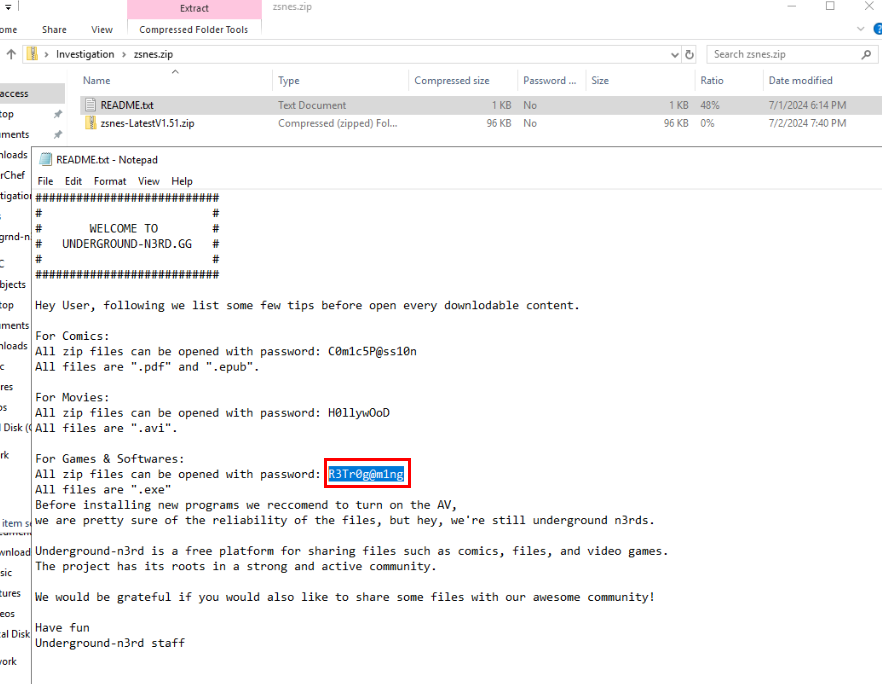
Then after we extracted zsnes.zip, we can see that there are 2 files within this zip file and the README.txt contains instruction for user and also passwords right here
Answer
R3Tr0g@m1ngQ5) What is the name of the malicious file? (Format: file.ext)
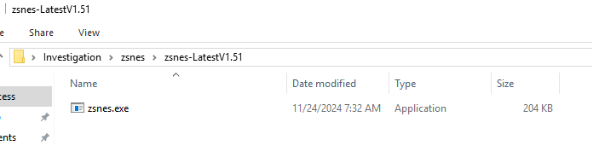
This is the content inside another zip file claiming to be a Games & Softwares
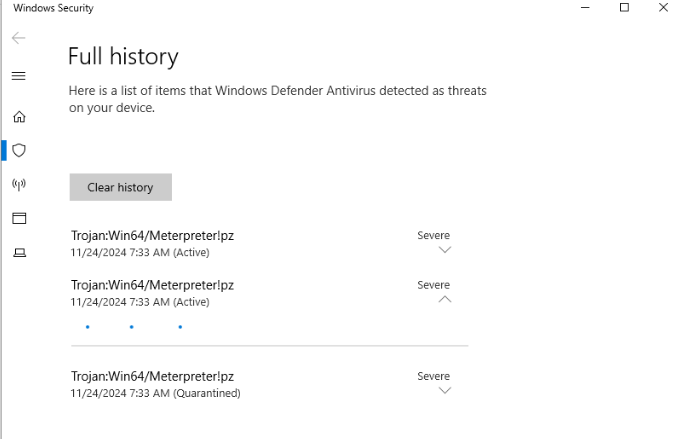
As soon as we extracted it using password from README.txt, Microsoft Defender will quarantine it which we can see that it detected this file as Meterpreter which is a payload for Metasploit framework
Answer
zsnes.exeQ6) Now that the malicious file has been identified, it needs to be analyzed. Open Pestudio. What is the hash value? (Format: SHA256)
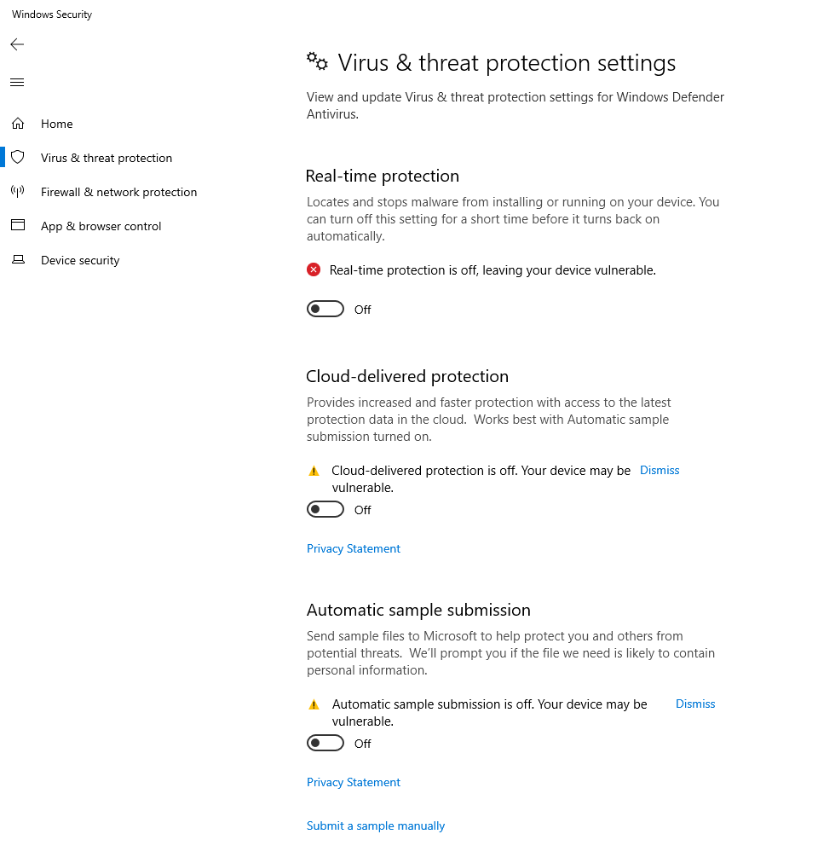
We must disable Virus & threat protection of Windows Defender first.
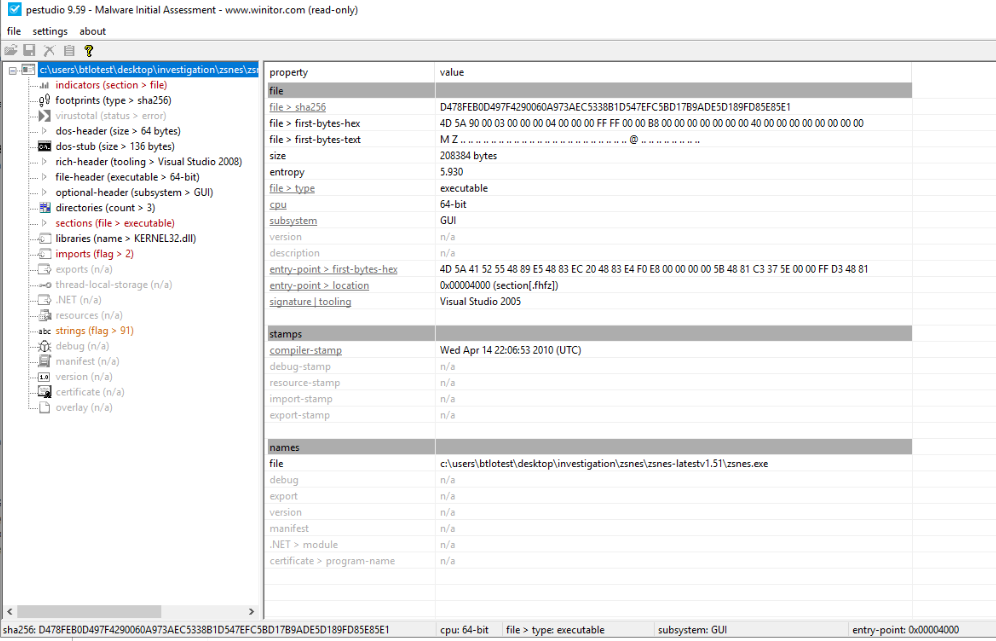
Now after extracted meterpreter payload from zip file, use pestudio to analyze it which we can see SHA256 of this file right here.
Answer
d478feb0d497f4290060a973aec5338b1d547efc5bd17b9ade5d189fd85e85e1Q7) It seems that the file has been encrypted. What is the entropy and the name of the malicious file? (Format: x.xxx, .ext)
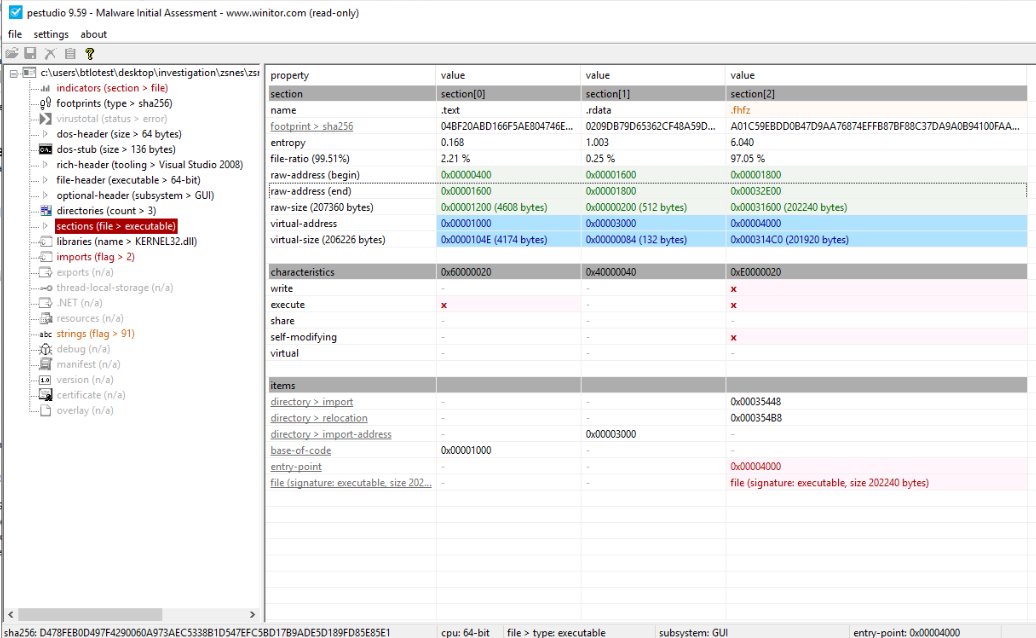
To find out about this, lets go to sections which display all properties of each file sections of this file which we can see that the entropy of ".fhfz" section is over 6 that mean it must has been packed or encrypted.
Answer
6.040, .fhfzQ8) What are the permissions of the malicious file? (Format: string, string)
We can also see that ".fhfz" section have write and execute permission.
Answer
write, executeQ9) By analyzing deeper the malicious file, you can obtain the attacker's IP address. Through which protocol is the attacker communicating and on which port? (Format: protocol://x.x.x.x:port)
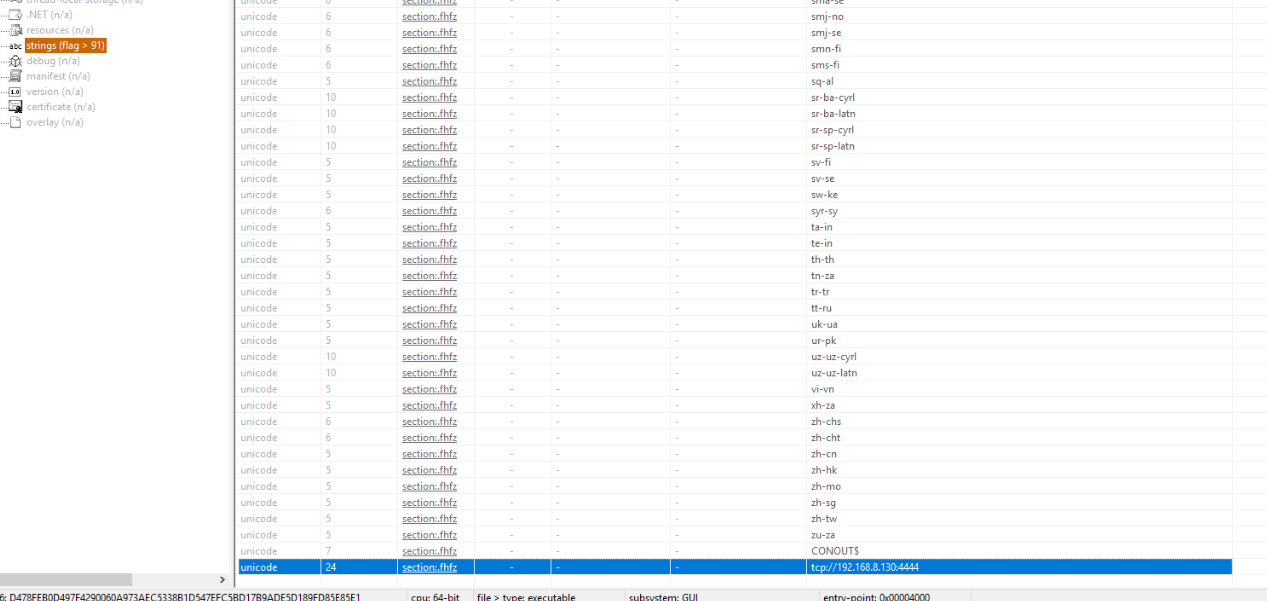
Utilized strings from pestudio, we can see that it will connect to 192.168.8.130 on port 4444 (reverse shell)
Answer
tcp://192.168.8.130:4444Q10) The attacker has ensured persistence on the victim's system. What is the name of the file that guarantees this persistence? (Format: string)
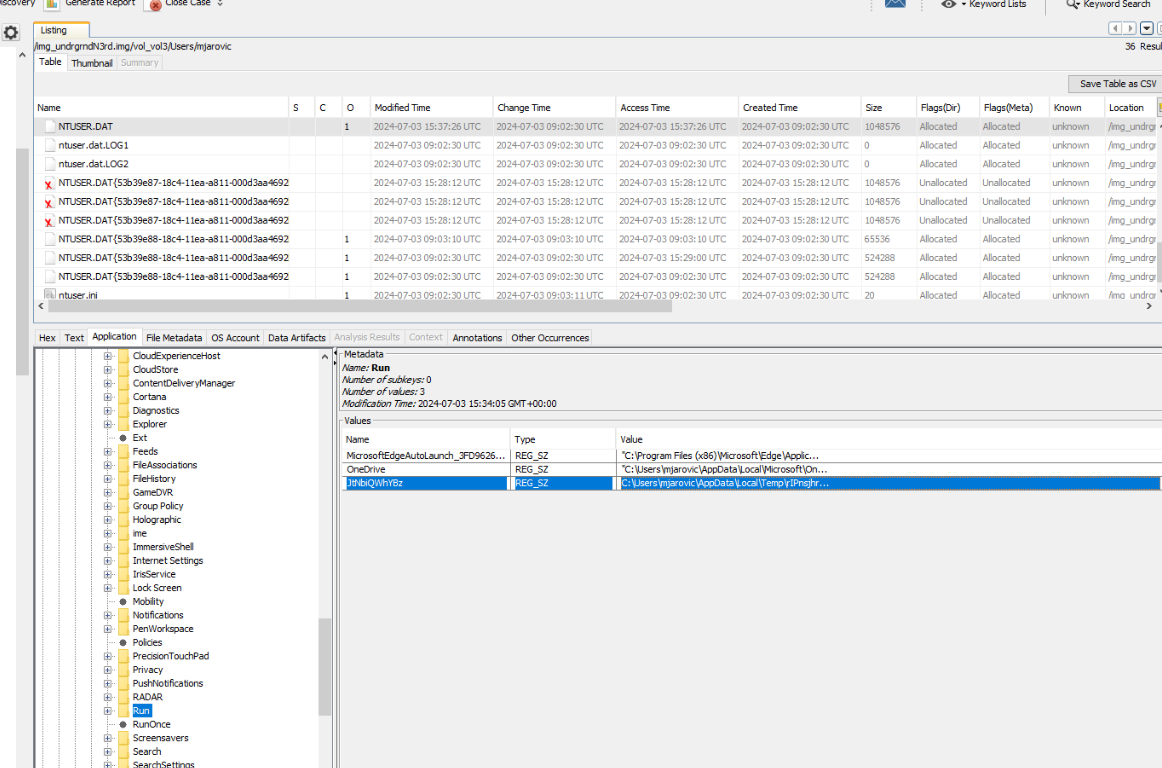
There are 2 popular ways to gain persistence on Windows which are Windows Schedule Task and Run registry key which we can see un-readable registry key was created under Run registry key of a user which will execute vbs file from User's Temp folder.
Answer
JtNbiQWjYBzQ11) What is the real name of the file and where is it stored? (Format: C:\path\to\something\file.ext)
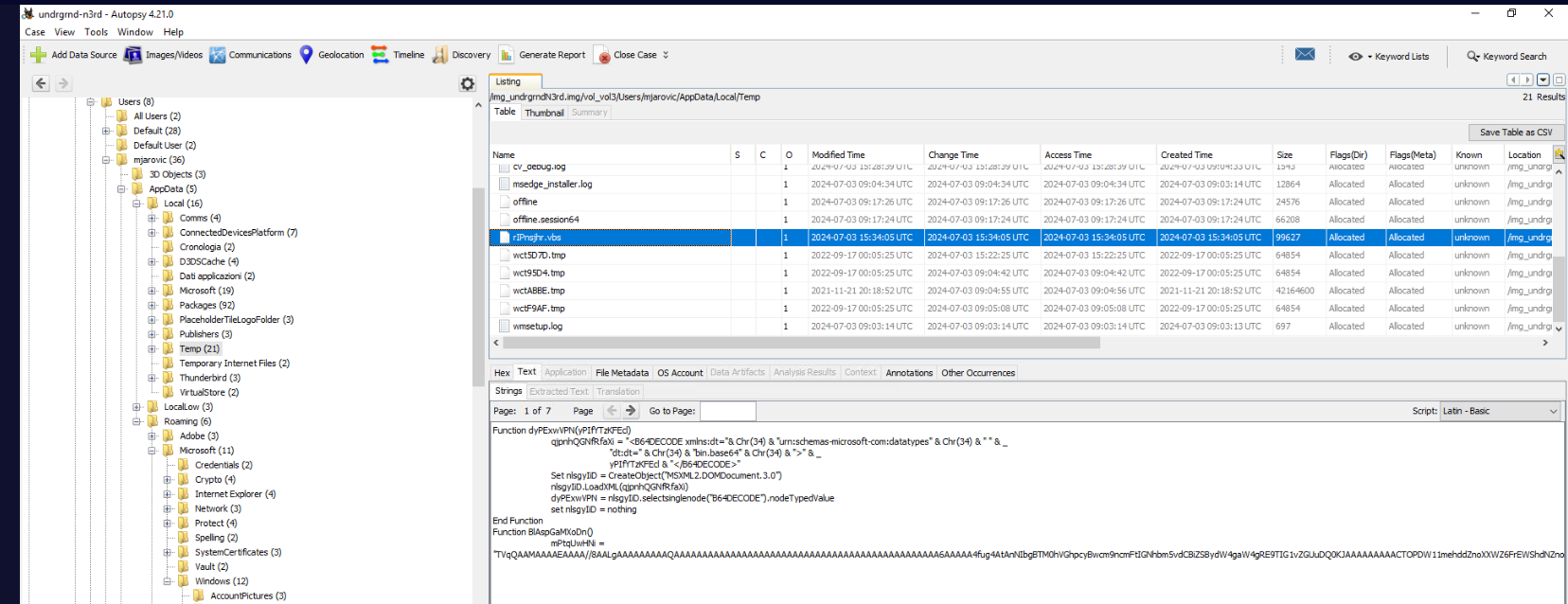
After navigated to Temp directory of this user, we can see the content of this script by just simply clicking it which we can also see that it will execute something that was encoded in base64.
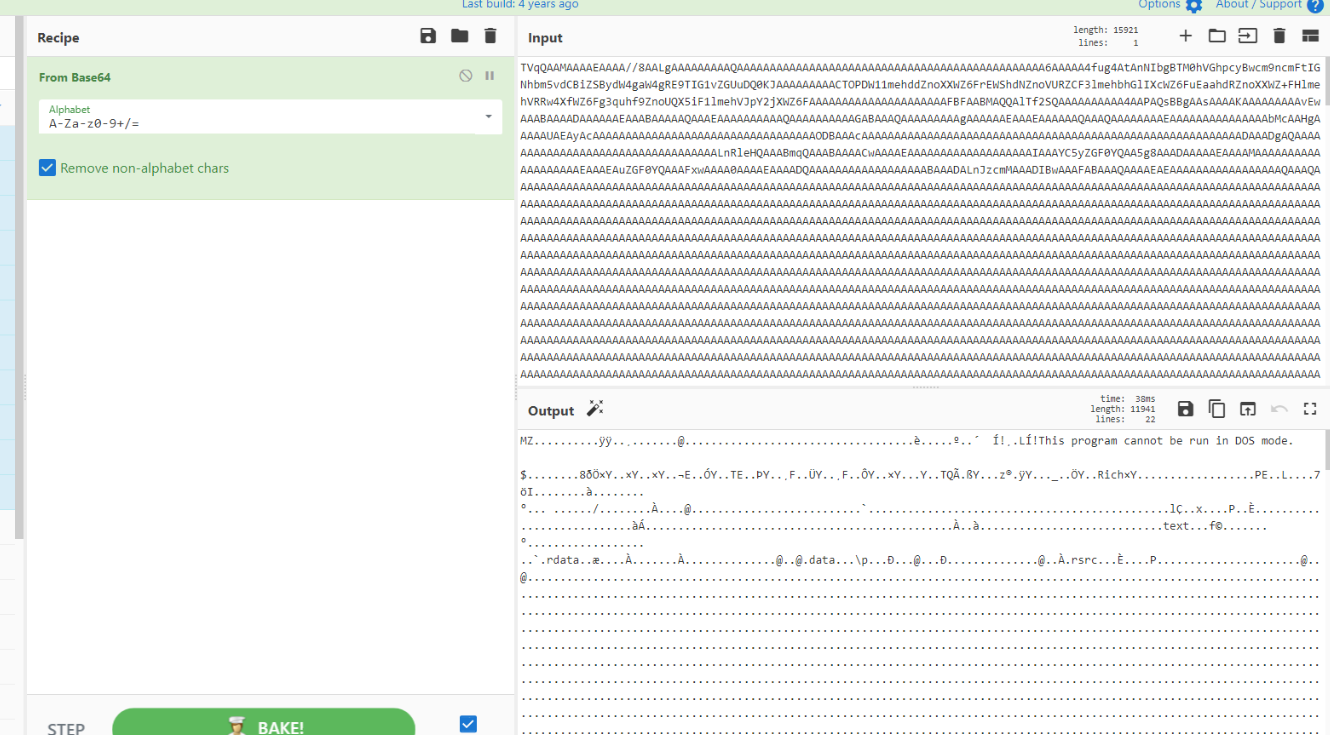
After decoding it, we can see its an PE32 executable file
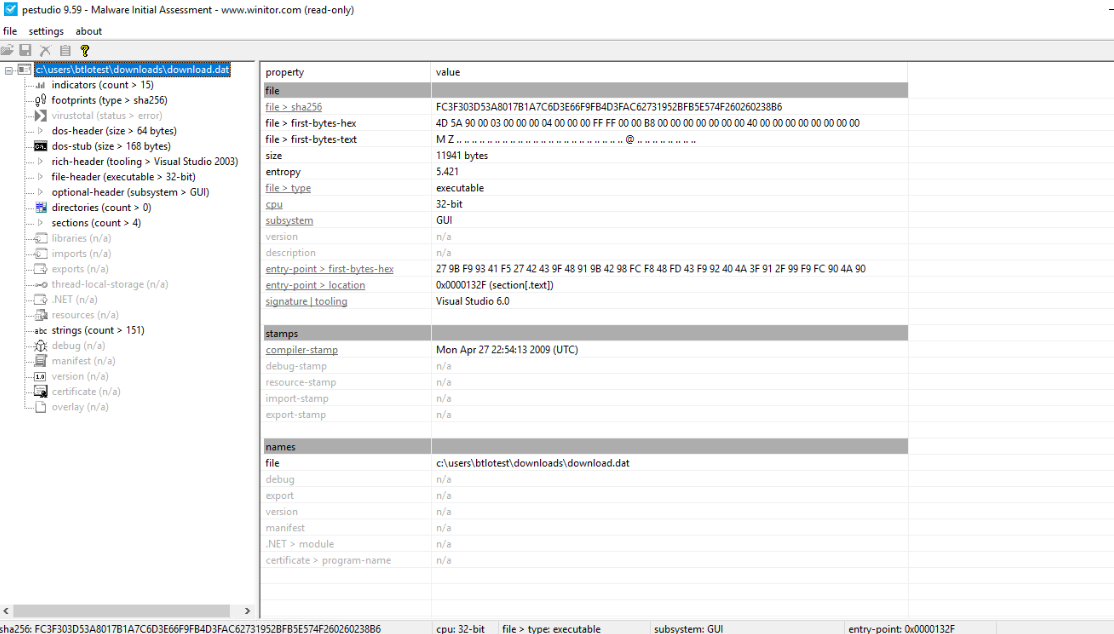
We can see that its not the same file as zsnes.exe as well.
Answer
C:\Users\mjarovic\AppData\Local\Temp\rIPnsjhr.vbsQ12) Before the attack, the victim received an email containing sensitive information. What is the subject of the email and who sent it? (Format: string, email)
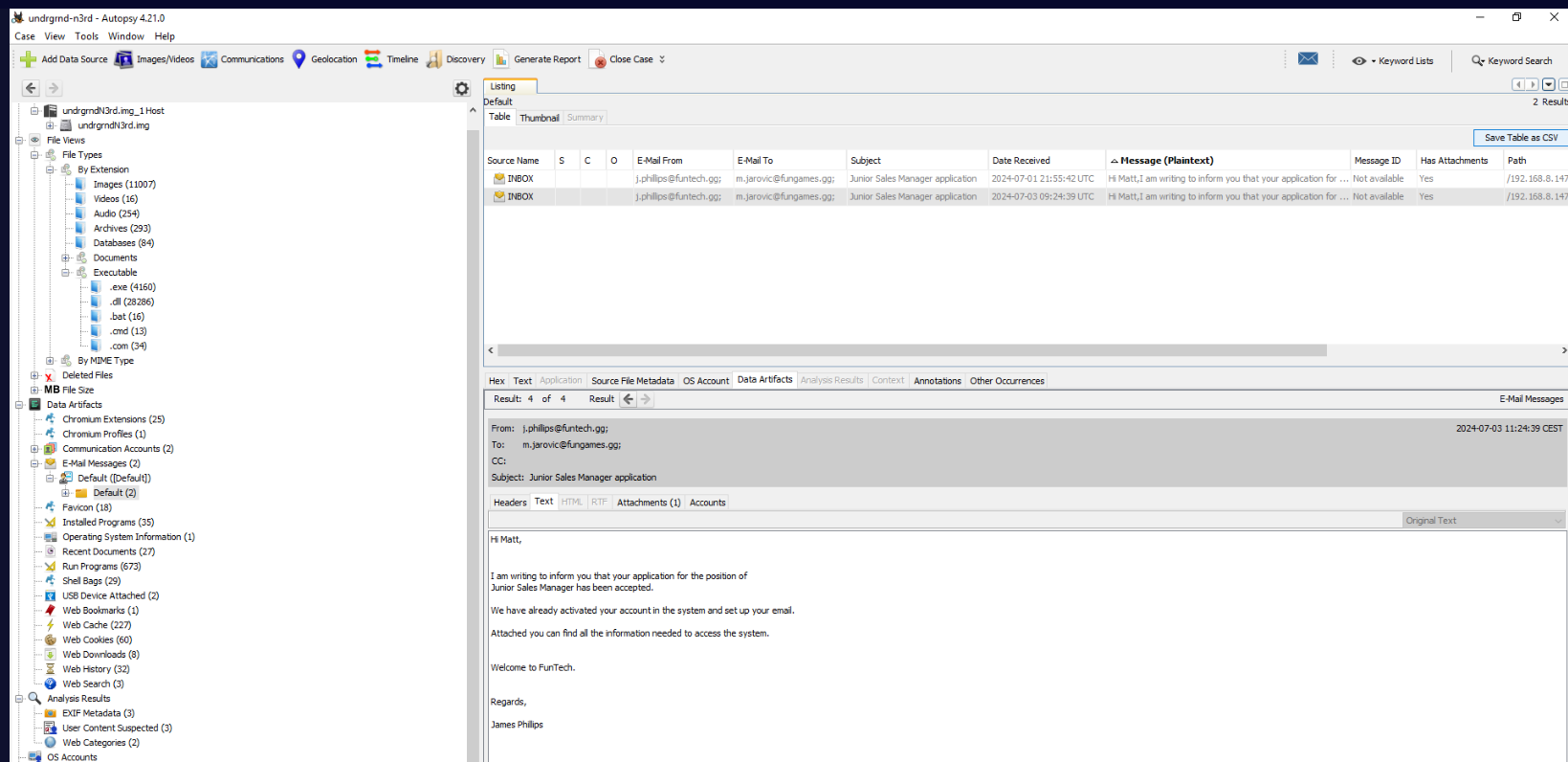
Go back to Autopsy under "Data Artifacts" -> "E-Mail Messages" -> "Default ([Default])" -> "Default (2)", we can see 2 emails with identical subject and message sent to the victim and the only different here is the Date Received of both emails.
Answer
Junior Sales Manager application, j.phillips@funtech.ggQ13) What is the PC name and IP address of the sender? (Format: string, x.x.x.x)
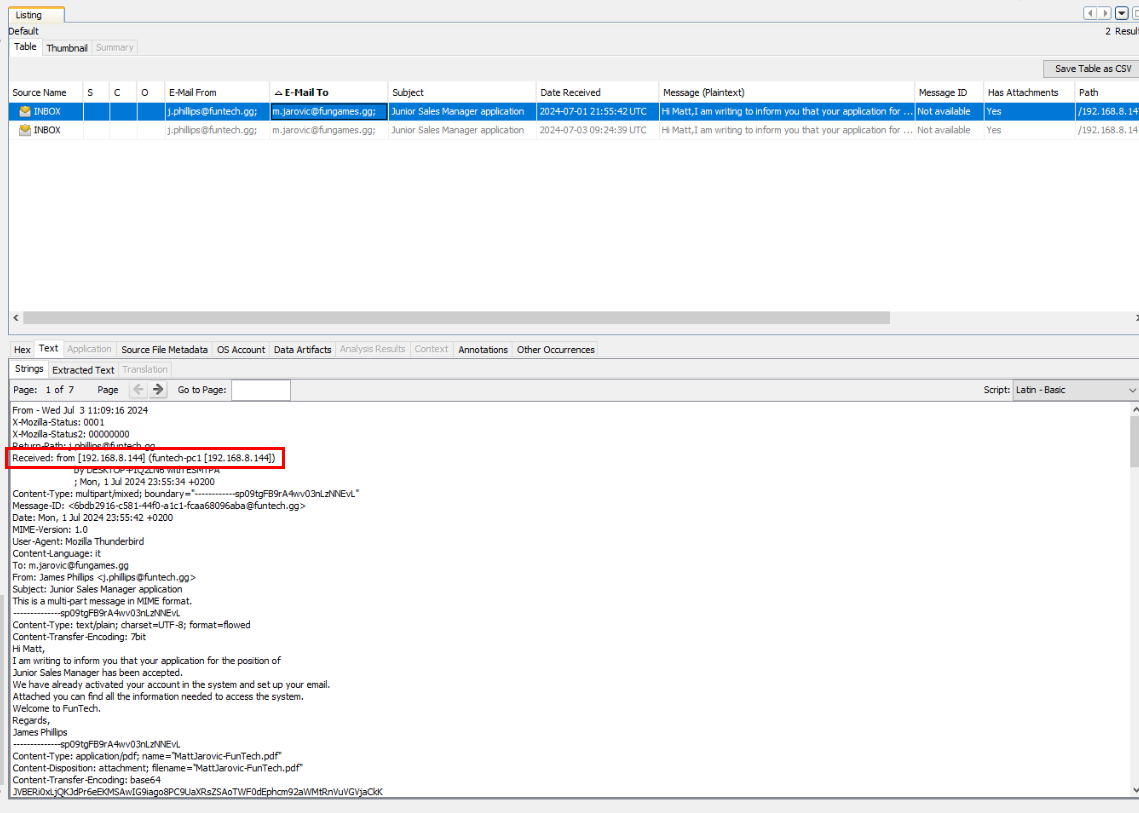
Lets focus on the first one and go to "Strings" section under "Text" to display email header which we can see both PC name and IP address of the sender from "Recieve" header
Answer
funtech-pc1, 192.168.8.144Q14) On which day and at what time was the email sent? (Format: xxx, x xxx xxxx HH:MM:SS)
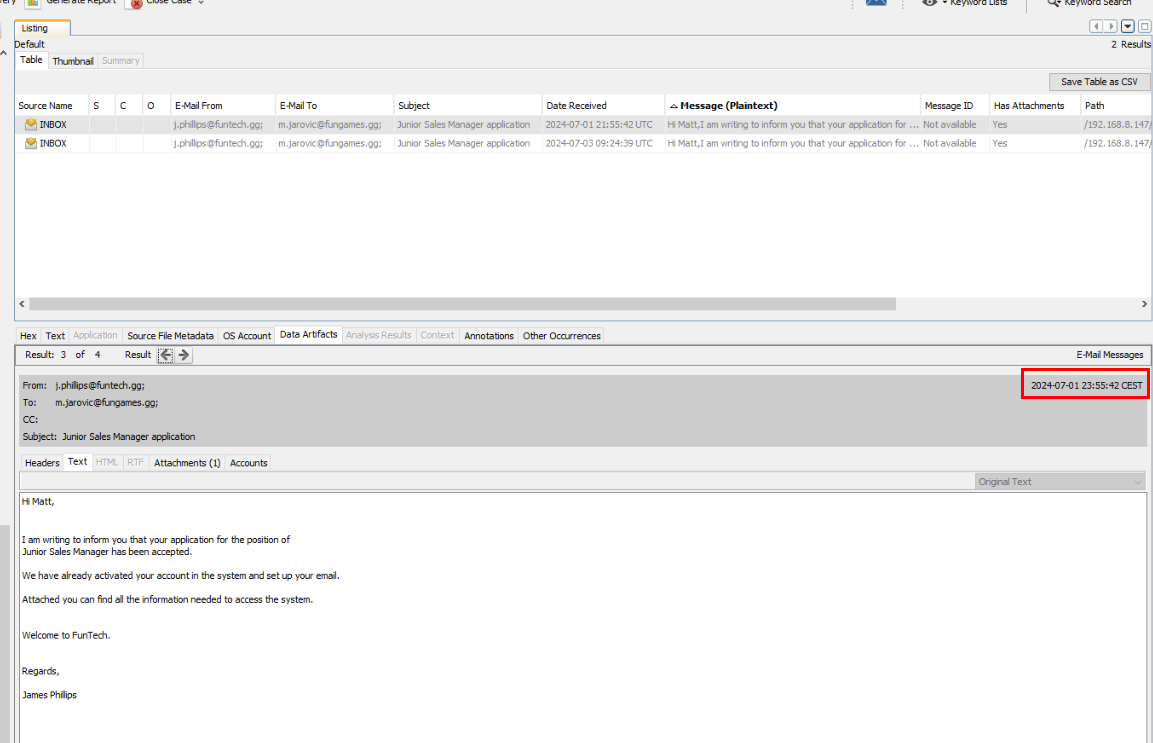
If we take a look at this, it says that this email was sent at Mon, 1 Jul 2024 23:55:42 CEST (UTC +2)
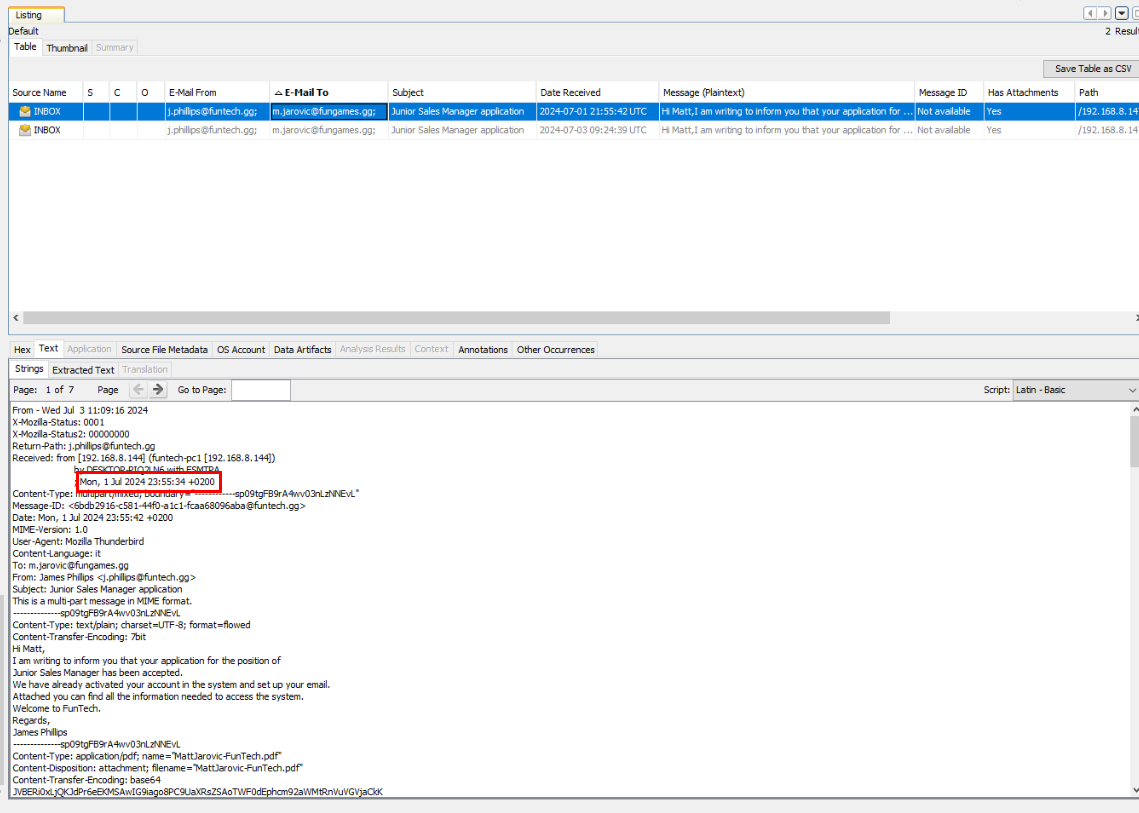
But from the "Recieve" header, we can see the timestamp is slightly faster than it displayed from previous image. (but the answer accepted the first one, so lets just go with that)
Answer
Mon, 1 Jul 2024 23:55:42Q15) In the email was attached a file. What is the name? (Format: file.ext)
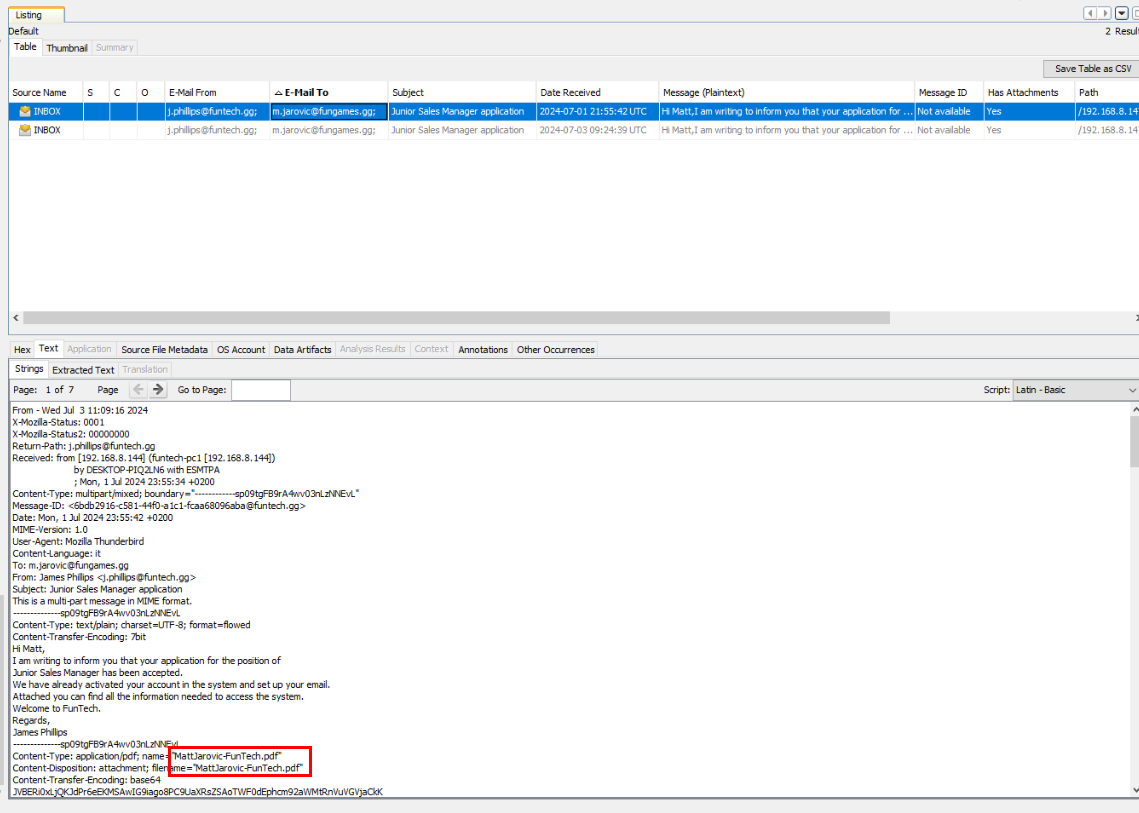
We can see that a pdf file was sent as an attachment of this email right here
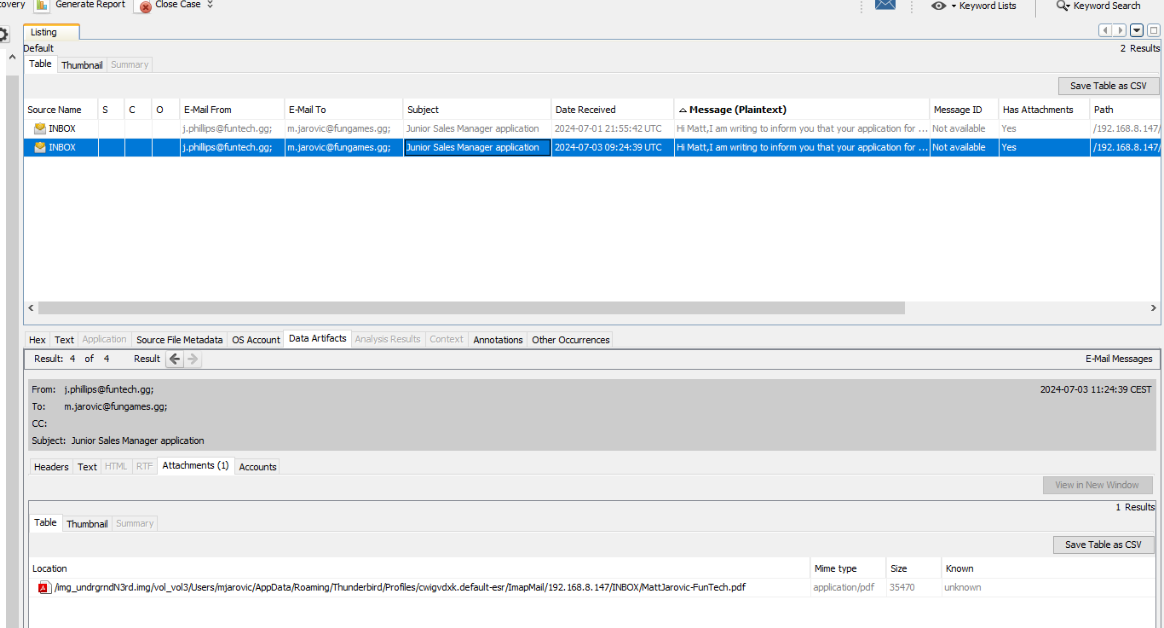
Here is another way to obtain the attachment filename.
Answer
MattJarovic-FunTech.pdfQ16) What are the credentials provided for the new domain and the email password? (Format: domain username, domain password, email password)
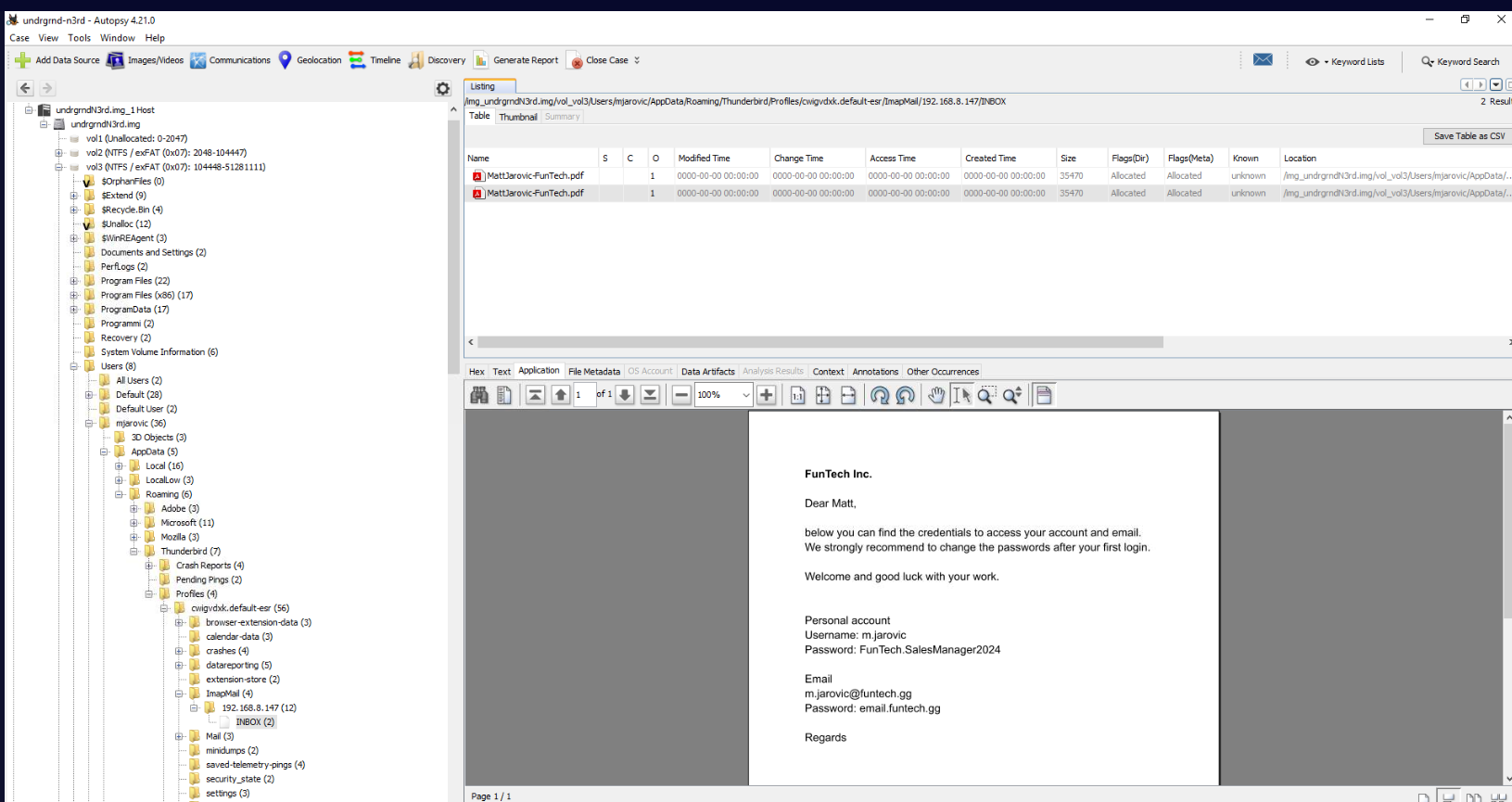
Lets go to the location of this file, we can see that this file contains user credential for computer (domain account) and email.
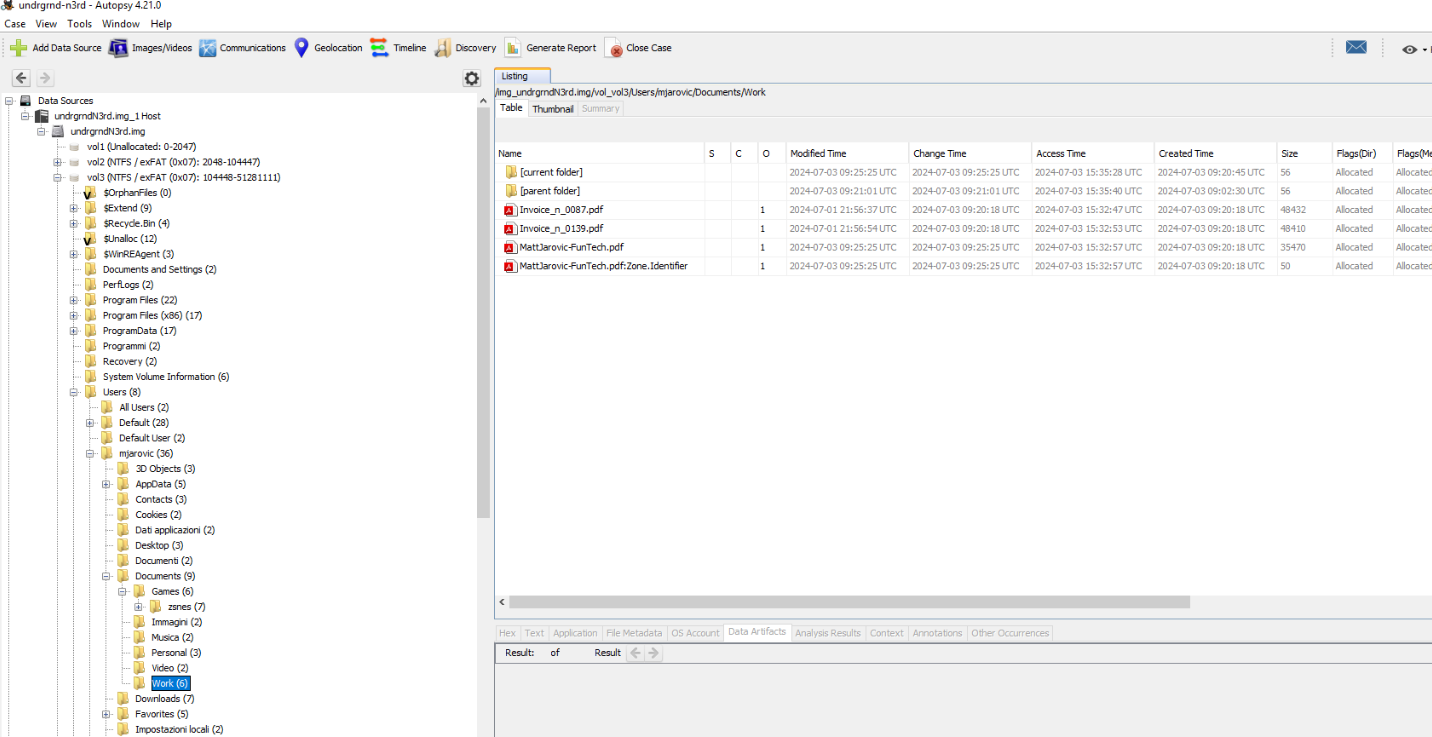
We can also found this file inside user's Documents\work folder
Answer
m.jarovic, FunTech.SalesManager2024, email.funtech.ggQ17) The attacker likely found and exfiltrated the victim's identity document while browsing through the user's directories. What is the name of the file, and what is the victim's city of residence and date of birth? (Format: file.ext, string, xx-xx-xxxx)
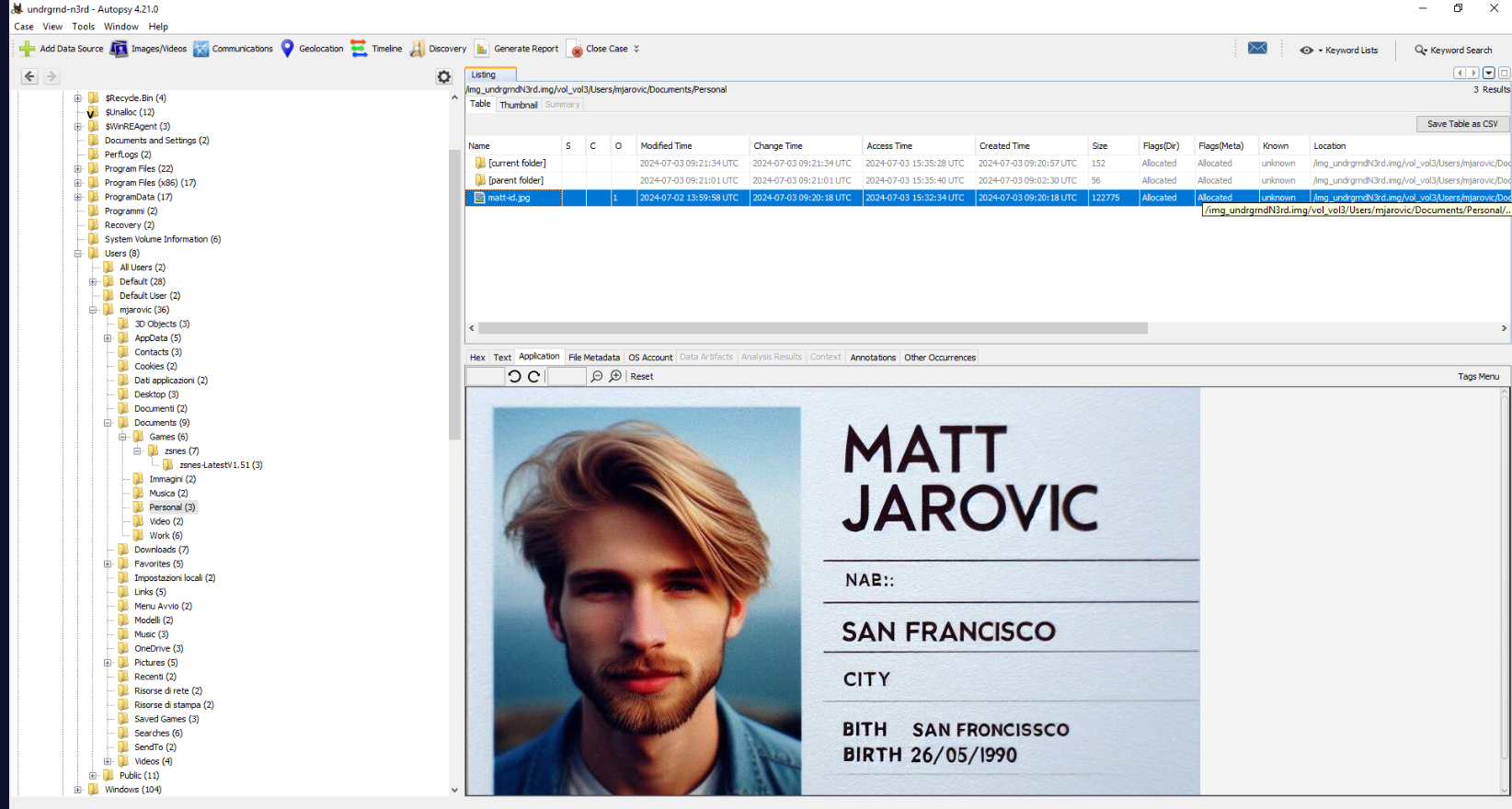
Under user's Documents\Personal folder, we can see that there is a digital copy of the victim ID card within this folder.
Answer
matt-id.jpg, San Francisco, 26-05-1990Q18) At the end of the attack, it appears that a file was uploaded as a signature to claim the attack. What is the name of the file in question, and when was it uploaded? (Format: file.ext, xxxx-xx-xx, HH:MM:SS)
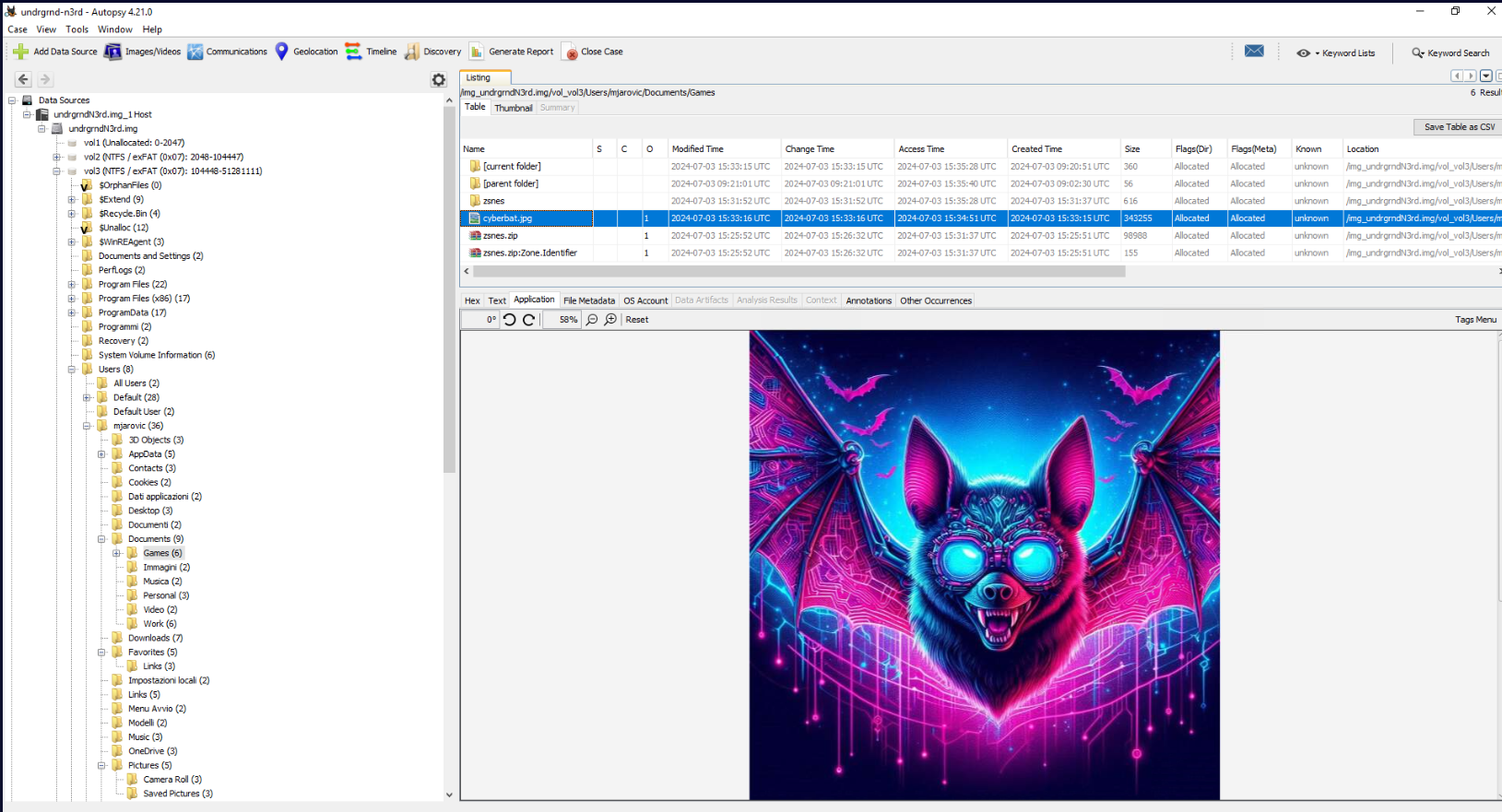
Under user's Documents\Games folder that user extracted meterpreter payload from zip file, we can see that there is an image located here and the Created Time is also happened after the attacker accessed sensitive files on this system.
Answer
cyberbat.jpg, 2024-07-03, 15:33:15Q19) Given that the attacker has obtained sensitive information related to the previously analyzed data, it is possible to suppose who might be the next victim. What is the domain that will be attacked? (Format: domain)
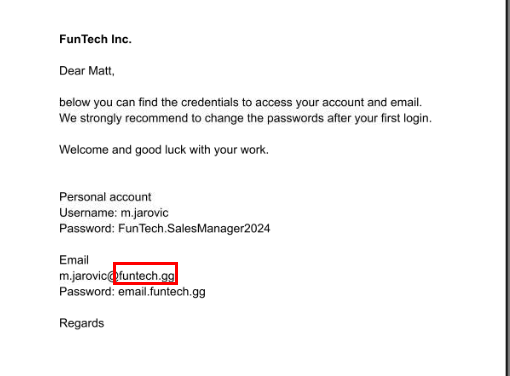
Since the attacker already established persistence within this system and also obtained user credential of this domain then the attacker might come back then attack another user / machine within the same domain.
Answer
funtech.gg https://blueteamlabs.online/achievement/share/52929/226
Summary
Matt Jarovic downloaded and interacted with a zip file contains malicious file then executed it which is actually a meterpreter payload that created remote shell connection to the attacker which the attacker gained access to this his system, obtain Matt's ID card and credentials for his domain account and email, uploaded proof of compromised and lastly, established persistence on user's Run registry which can come back to continue to compromise funtech.gg domain later.
Timeline
- 2024-07-03 15:26:32 : Matt Jarovic downloaded and interacted with a zip file contains malicious file.
- 2024-07-03 15:31:37 : Matt Jarovic unzipped a zip file.
- 2024-07-03 15:32:00 : Matt Jarovic executed malicious file.
- 2024-07-03 15:32:34 : The attacker accessed
matt-id.jpg - 2024-07-03 15:32:57 : The attacker accessed pdf file contains credentials of user.
- 2024-07-03 15:33:15 :
cyberbat.jpgwas created. - 2024-07-03 15:34:05 : A persistence was created under Matt Jarovic user run registry key.
IOCs
underground-n3rd[.]ggd1b650e7d3dffffc00ca4fe2a1137dfe45adc114bc33988926ab098e0801a53d(SHA256 ofzsnes.zip)c1d25471af85b089c6c631f51117cca076b0e516e01c312752d5e1a3d27f40e0(SHA256 ofzsnes-LatestV1.51.zip)d478feb0d497f4290060a973aec5338b1d547efc5bd17b9ade5d189fd85e85e1(SHA256 ofzsnes.exe)fc3f303d53a8017b1a7c6d3e66f9fb4d3fac62731952bfb5e574f260260238b6(SHA256 of binary created byrIPnsjhr.vbs)c7f5bef776dec41d3924636265ef7f4e2ed1c913711b9232a9d3375a41f3057c(SHA256 ofcyberbat.jpg)192[.]168[.]8[.]130